

Adjusting the lead time sets how far ahead rent reviews are flagged, so your team always has enough time to prepare.
1. Open settings and find rent review settings
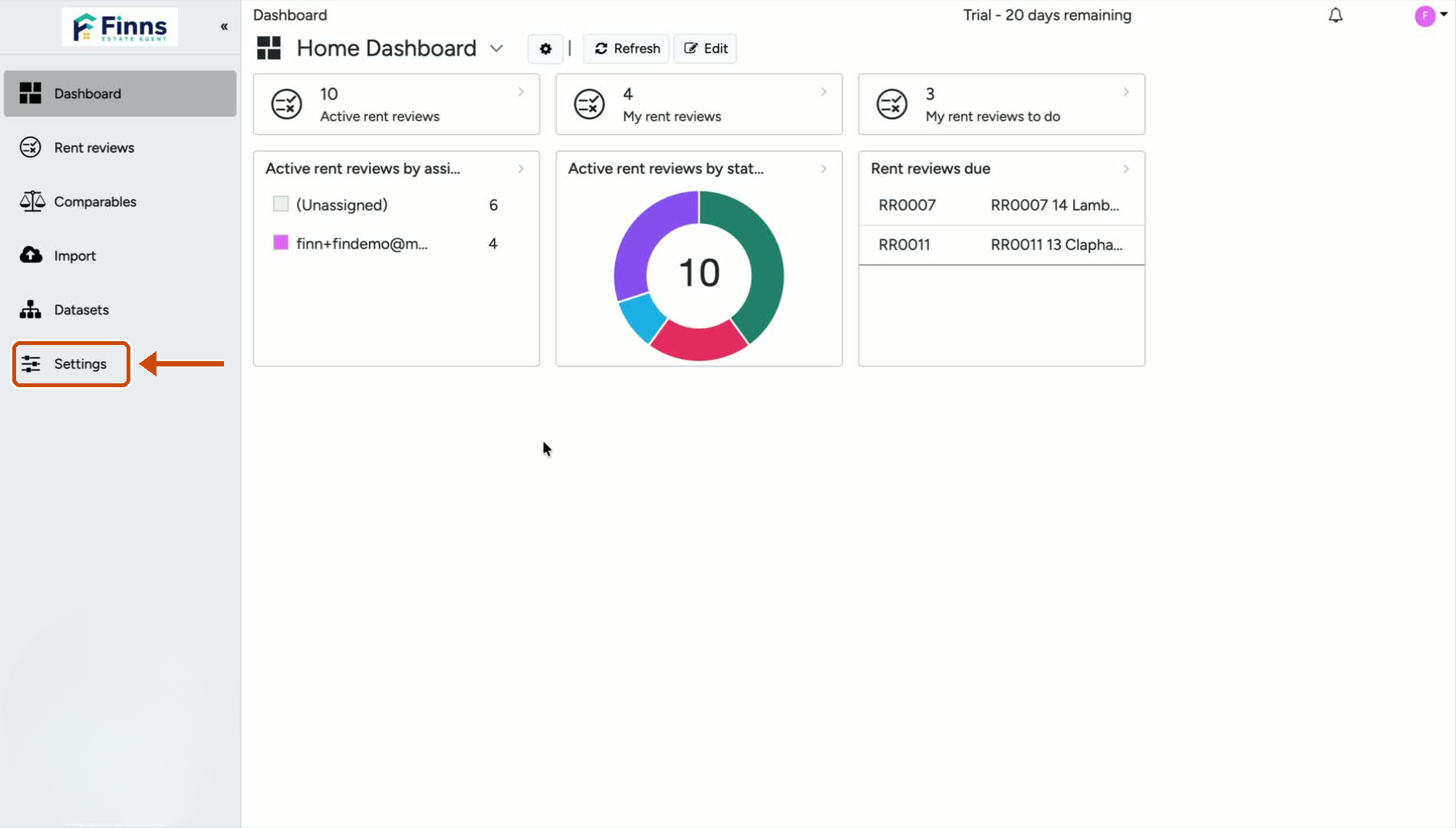
Go to Settings.
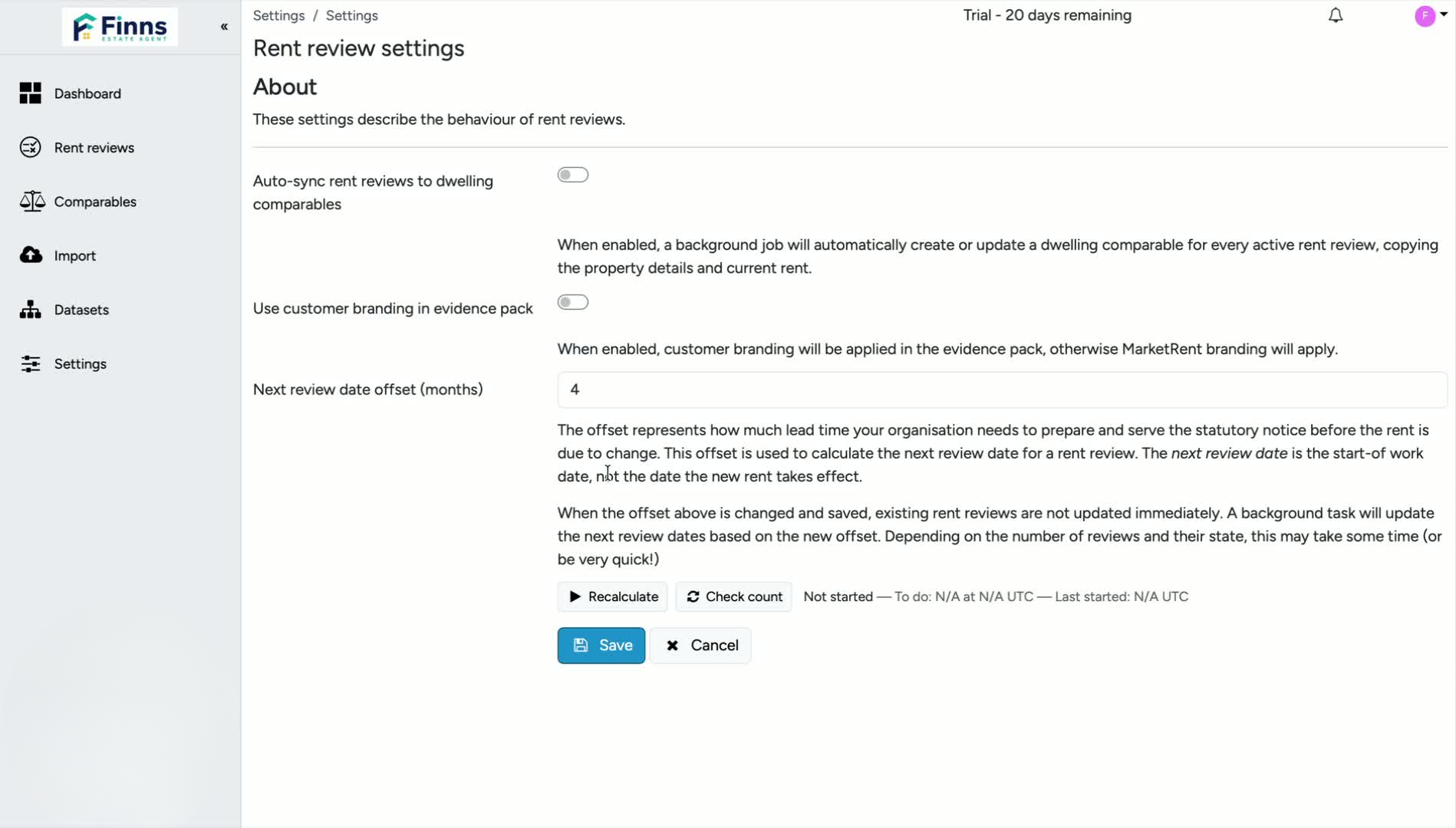
Scroll down to Rent Review Settings.
Locate the field called Next review date offset in months.
This is the setting that controls how far in advance rent reviews are flagged to your property manager.
2. Update the review offset month value
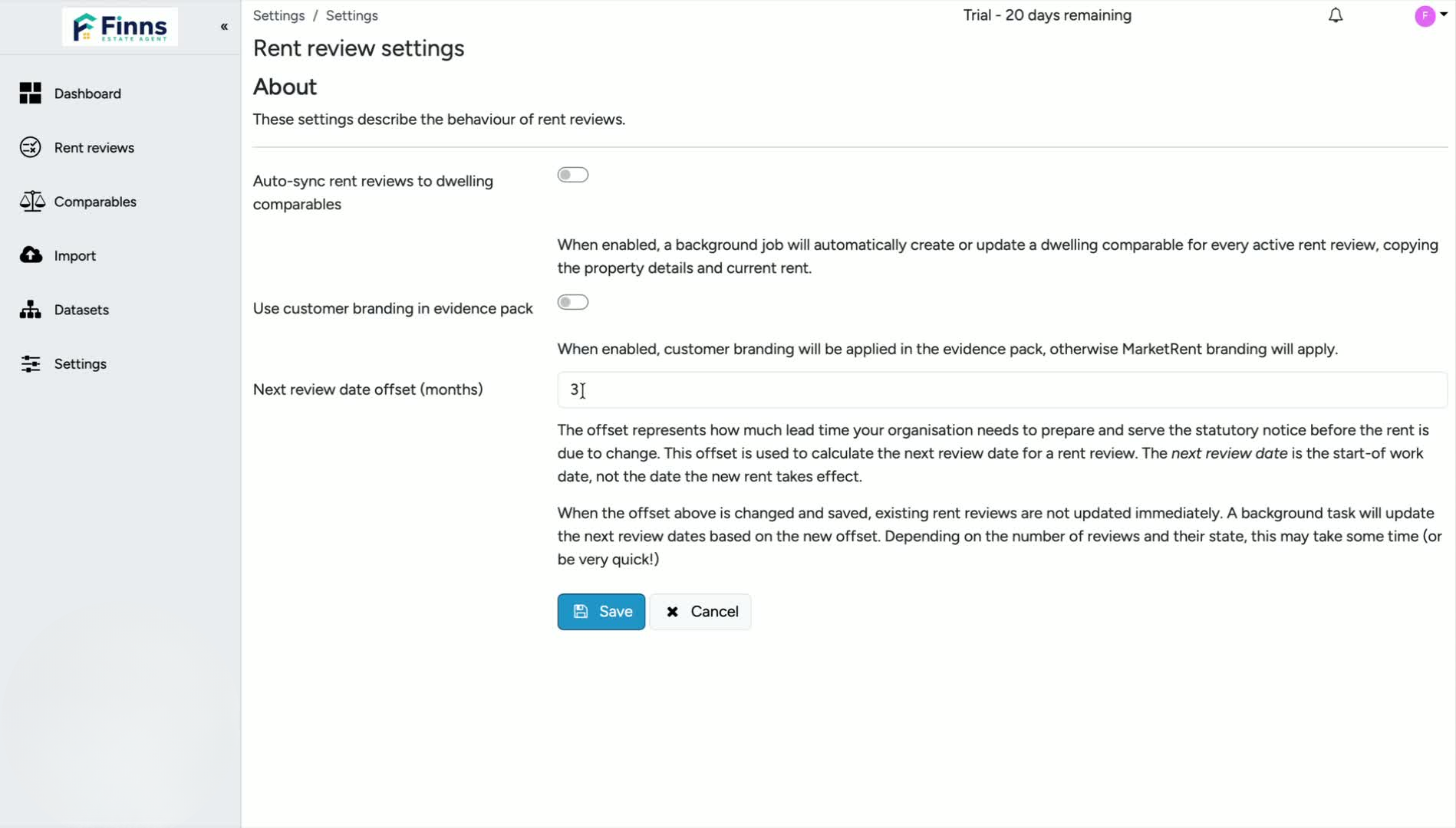
Check the current default value, which is usually 3 months.
Enter the number of months you want instead.
For example, change it from 3 to 4 if you want more lead time.
You can also shorten it if you want rent reviews to appear closer to the review date.
3. Save the change
Click Save after updating the value.
The new setting will apply to future rent reviews.
4. Confirm the new flagging timing
Rent reviews will now be flagged based on your updated offset.
For example, if set to 4 months, reviews will be flagged 4 months before the actual rent review date.
This gives you more or less time to prepare, depending on the value you choose.
Still have a question, or some feedback?
Email us at: hello@marketrent.co.uk.