
Turning on customer branding puts your own logo and colours on the evidence pack landlords and tenants receive — it's a quick toggle.
1. Open settings and find rent review settings
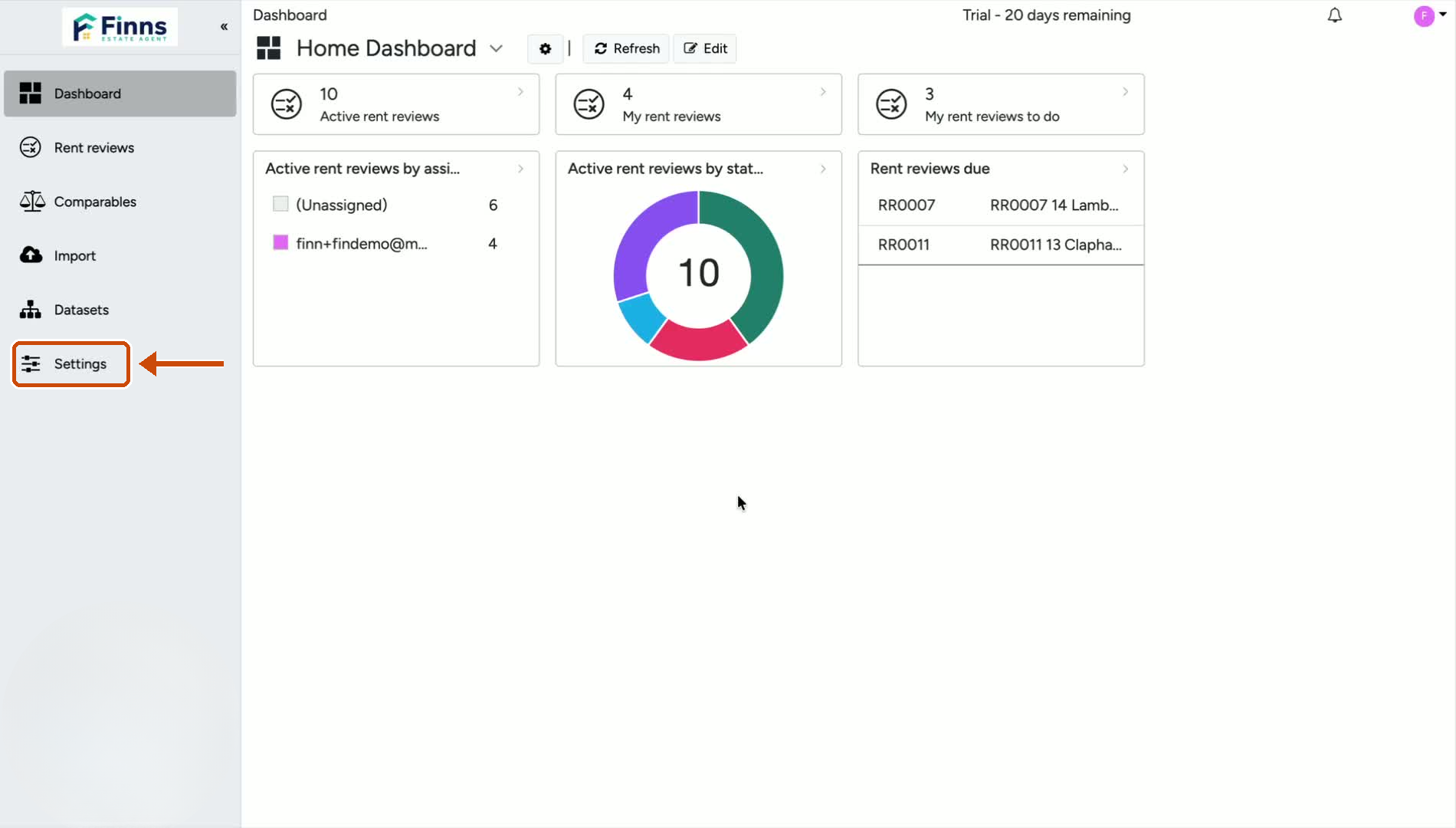
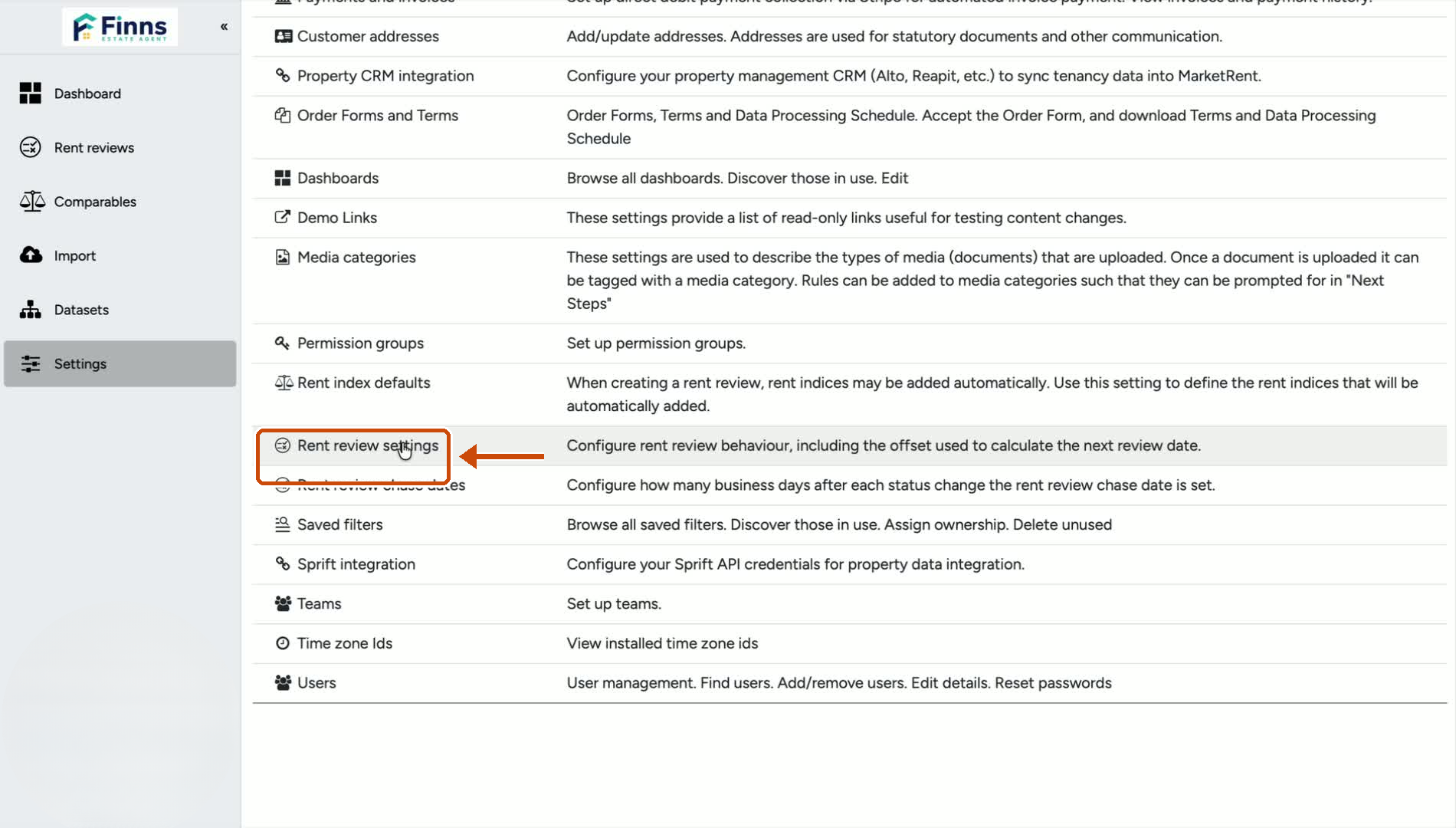
Go to Settings in the platform.
Scroll down to the Rent Review Settings section.
This is where the evidence pack branding option is located.
2. Turn on customer branding for the evidence pack
In the rent review settings, locate the option labelled Use customer branding in your own evidence pack.
Switch this option on.
This will apply your uploaded branding to the evidence pack sent to the landlord and tenant.
3. Save your changes
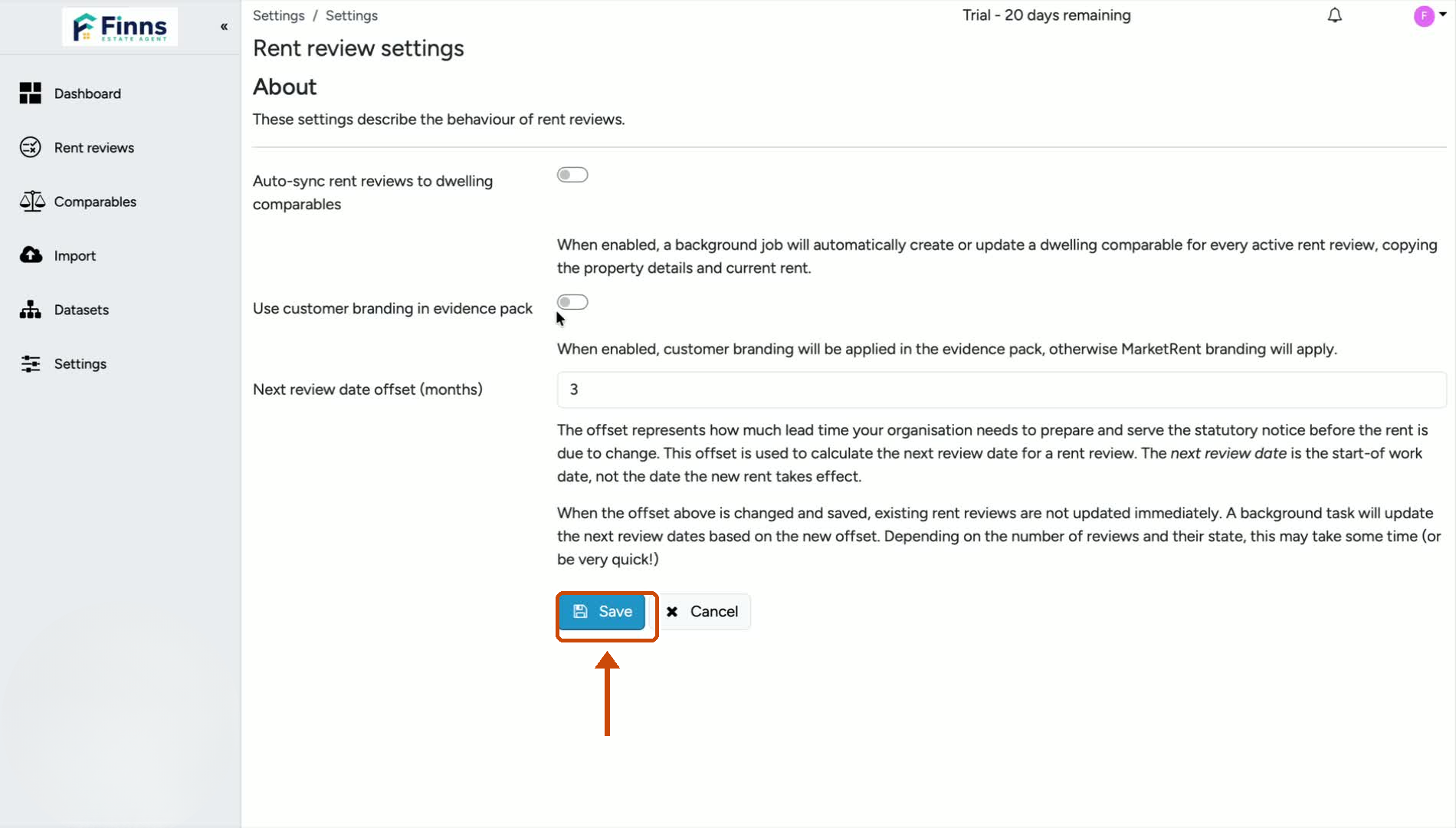
Click Save to confirm the setting.
Your evidence pack should now use your own branding.
Still have a question, or some feedback?
Email us at: hello@marketrent.co.uk.