
Auto-syncing turns every completed rent review into a comparable for the next one — set it once and you're done.
1. Open rent review settings
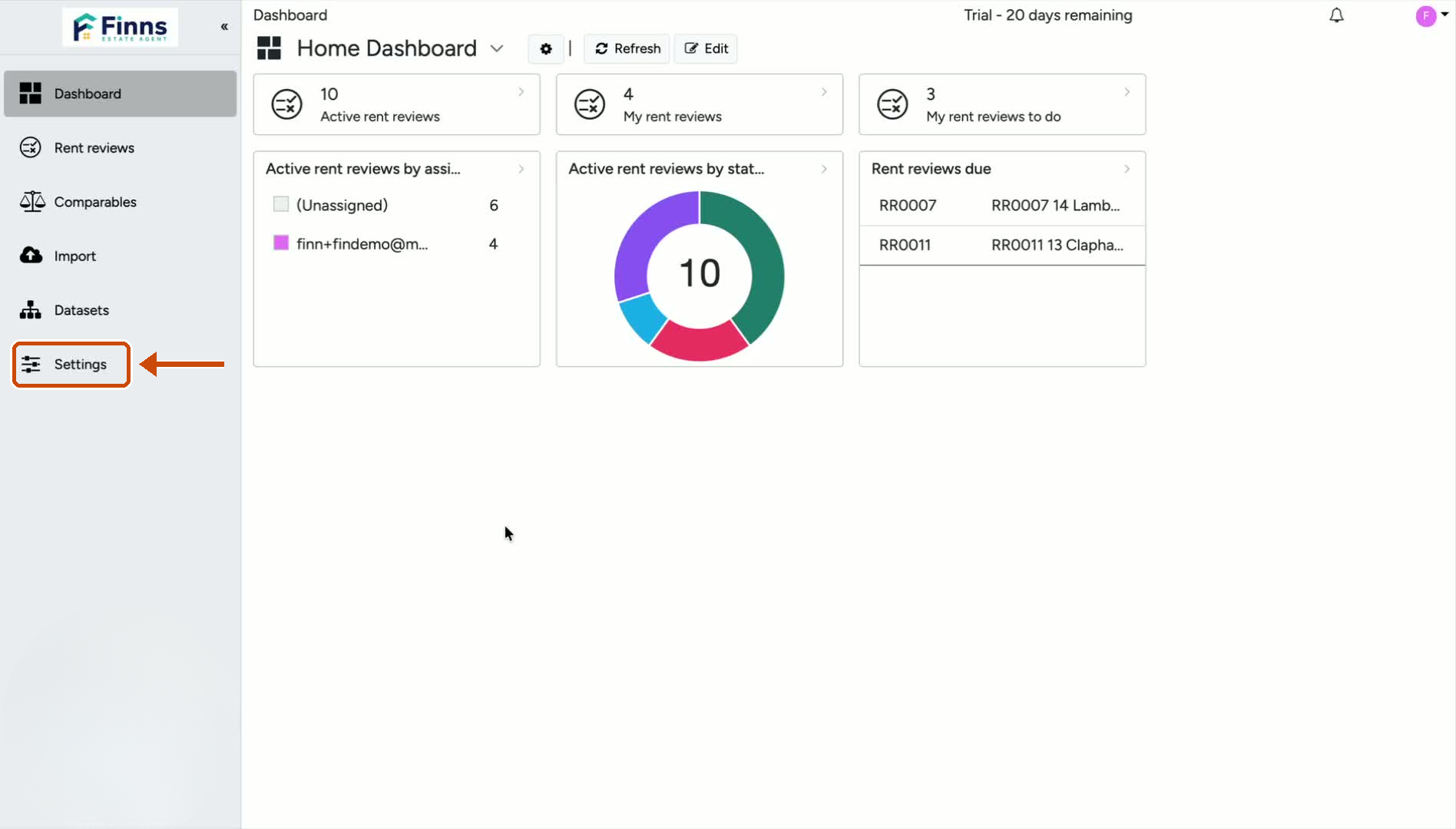
Go to Settings.
Scroll down to the Rent Review Settings section.
This is where the comparable-sync option is located.
2. Turn on AutoSync for dwelling comparables
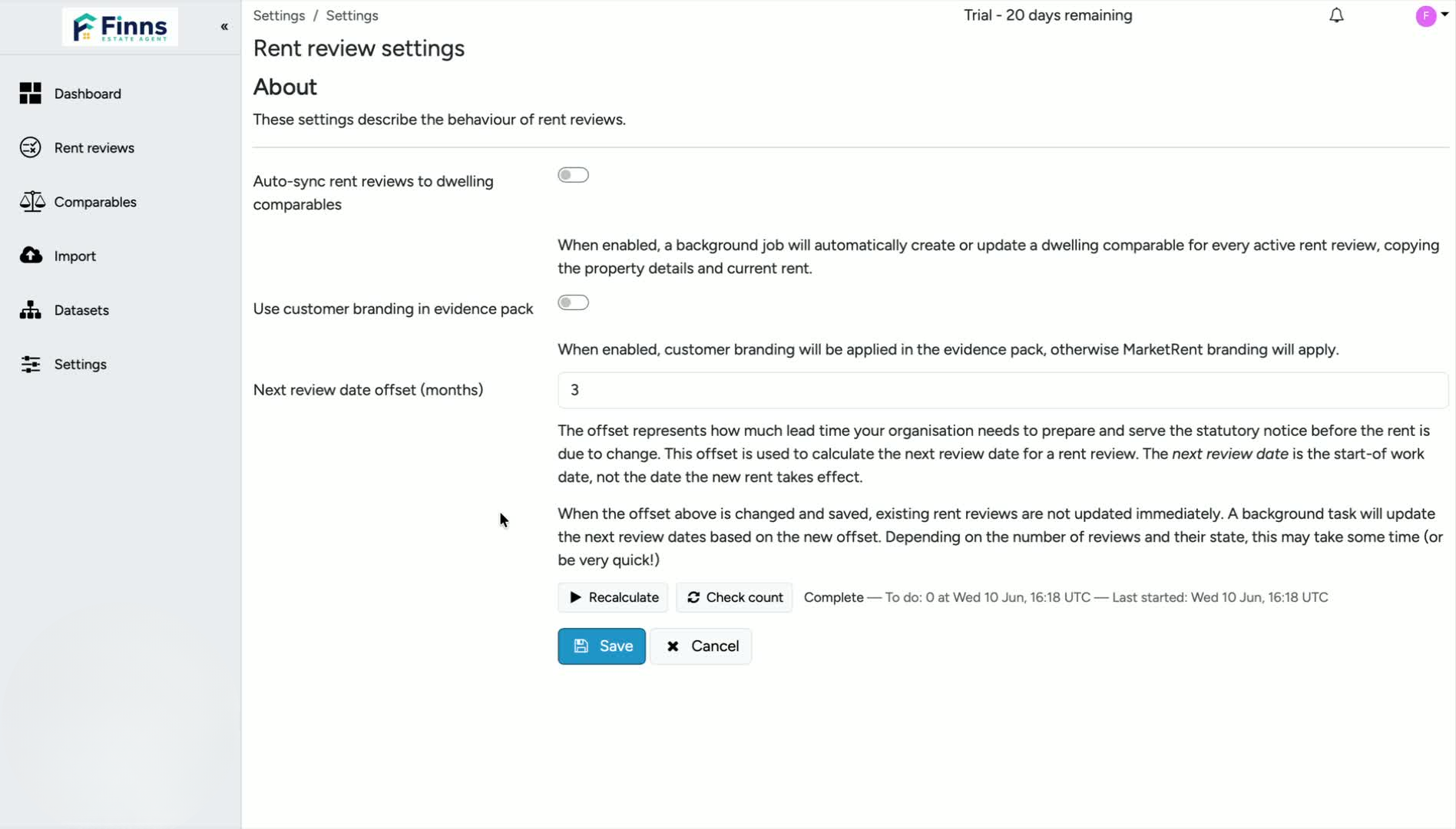
Find the toggle labelled Auto-sync rent reviews to dwelling comparables.
Switch it on.
When enabled, any completed rent review with a new rent will automatically pull through and be available as a comparable in other rent reviews.
3. Save your changes
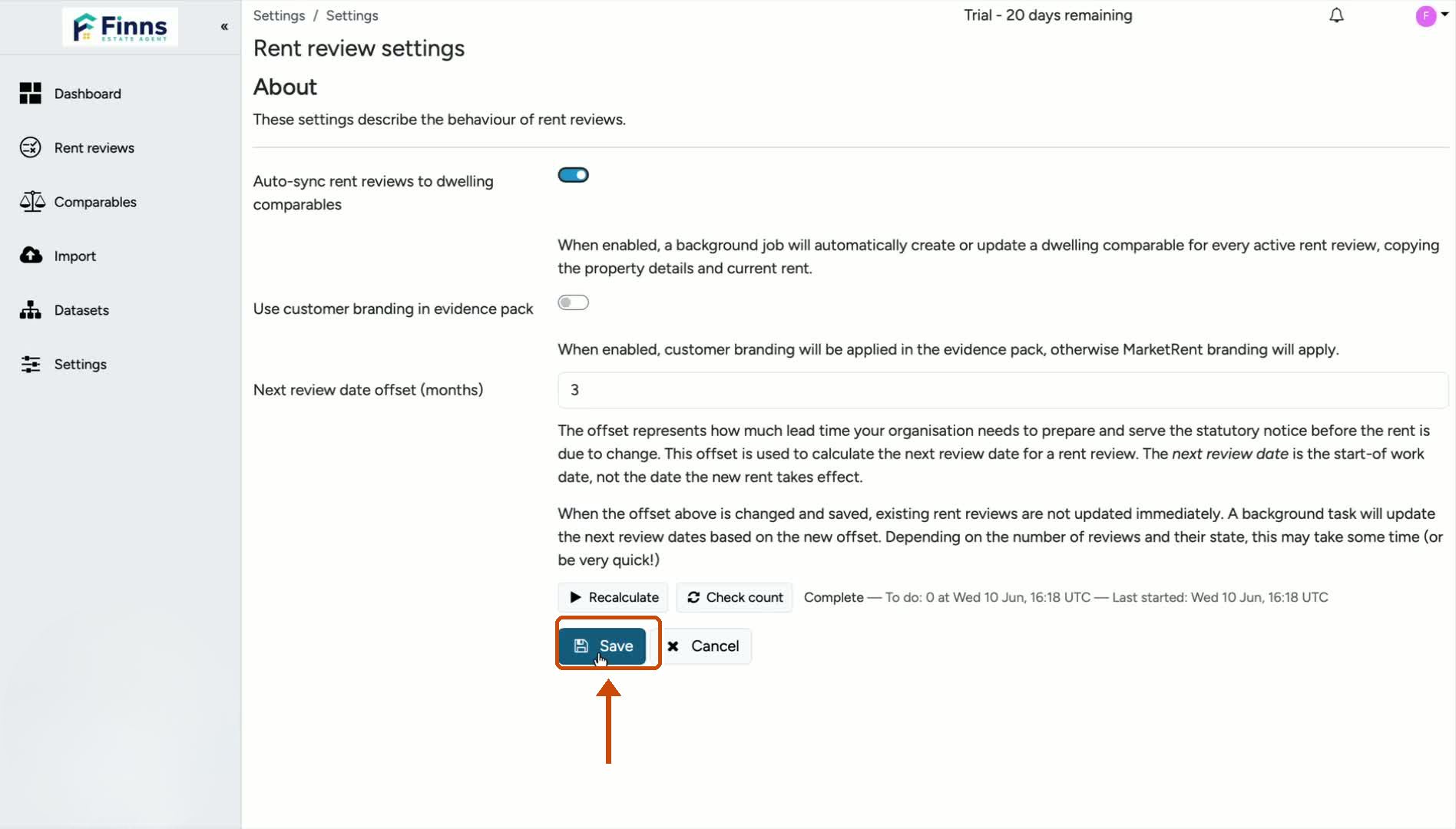
Click Save to apply the setting.
Once saved, the auto-sync feature will remain active for future completed rent reviews.
Still have a question, or some feedback?
Email us at: hello@marketrent.co.uk.